RootsMagic 12 Overview

RootsMagic UK genealogy software takes researching your family history to a new level of ease. Gone are the days when documenting your ancestors meant shuffling through piles of paper work.

Version 12 is the latest edition of this award-winning full-featured genealogy program. This great package is authored by Bruce Buzbee, the author of Family Origins, and the UK Edition is created specifically for the UK market. RootsMagic UK is a powerful, yet easy-to-use, piece of genealogy software. Its intuitive interface lets you publish your family history in a variety of ways such as charts, reports, and even online.

RootsMagic UK 12 is designed for both Windows and Mac. The latest version is compatible with Windows 10 & 11, and macOS 12 (Monterey) onwards.

RootsMagic tree logo

Software Tour

Although RootsMagic is the easiest-to-use genealogy software available, it is also one of the most powerful. You can click any of the images in this brief overview for a screen shot, or click here to see a full list of features for RootsMagic UK.


Plant Your Family Tree

Whether your are starting from scratch, use another program, or already have a tree online, RootsMagic helps you bring it all together into a single, convenient spot.

Download from Online Trees

Already have family history online? RootsMagic can give you a head-start by downloading your tree from Ancestry and FamilySearch.

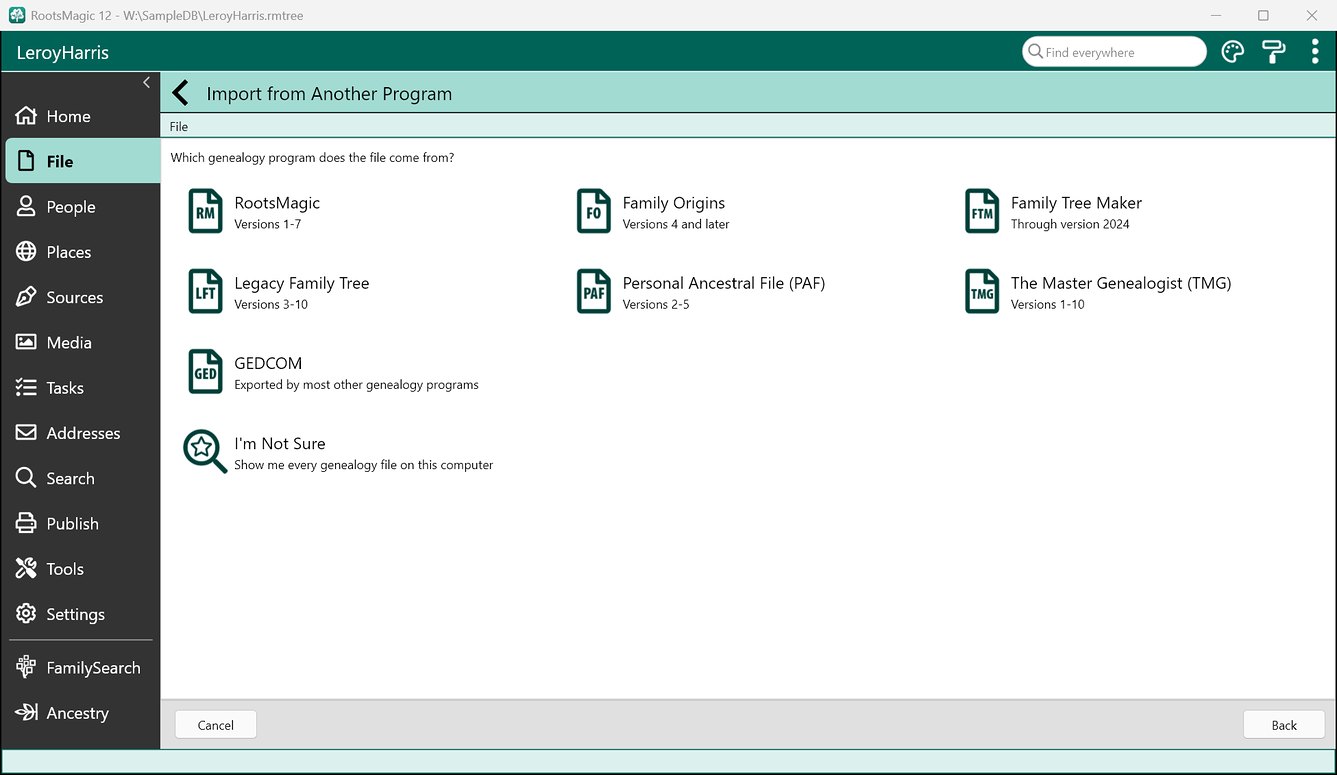
Import from Other Software

RootsMagic can directly import data from Personal Ancestral File (PAF), Family Tree Maker, Legacy Family Tree, The Master Genealogist, or Family Origins. It also imports GEDCOM, the universal genealogical data exchange format.

Stay in Sync with Online Trees

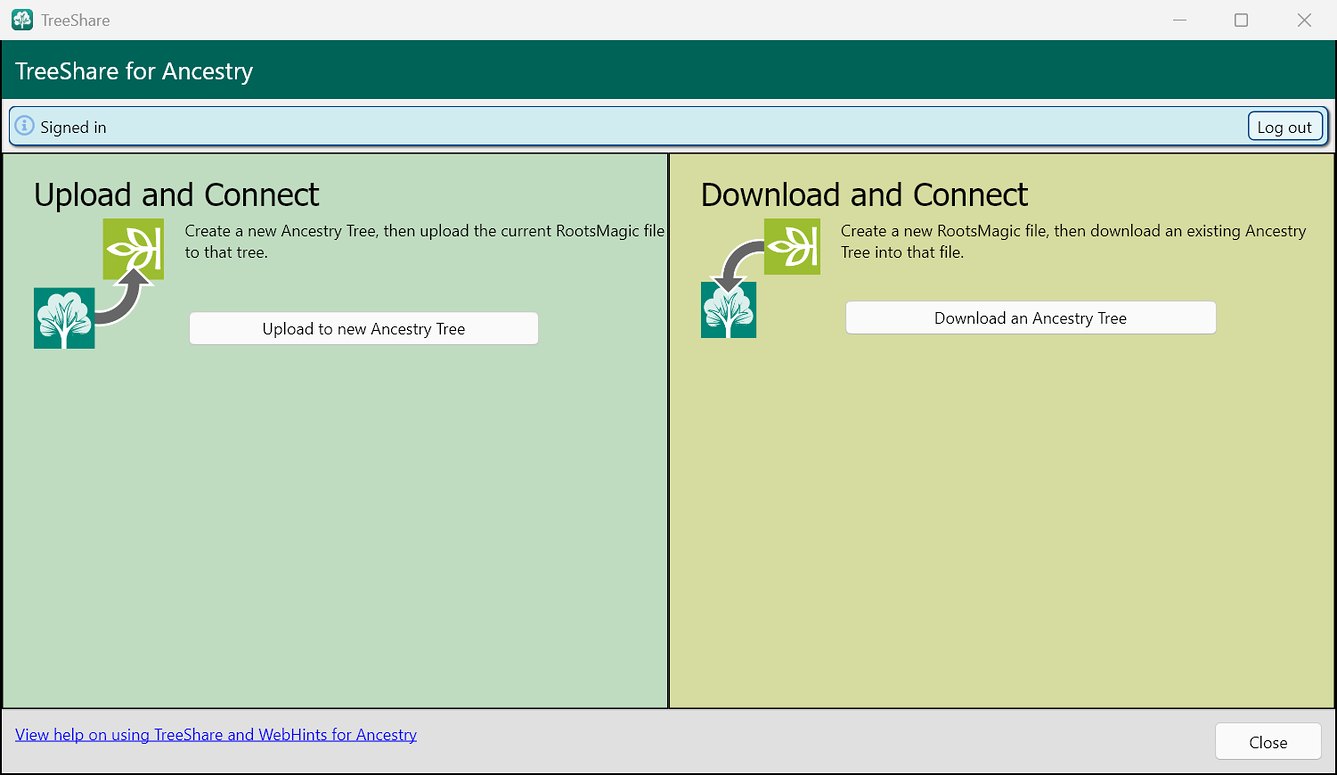
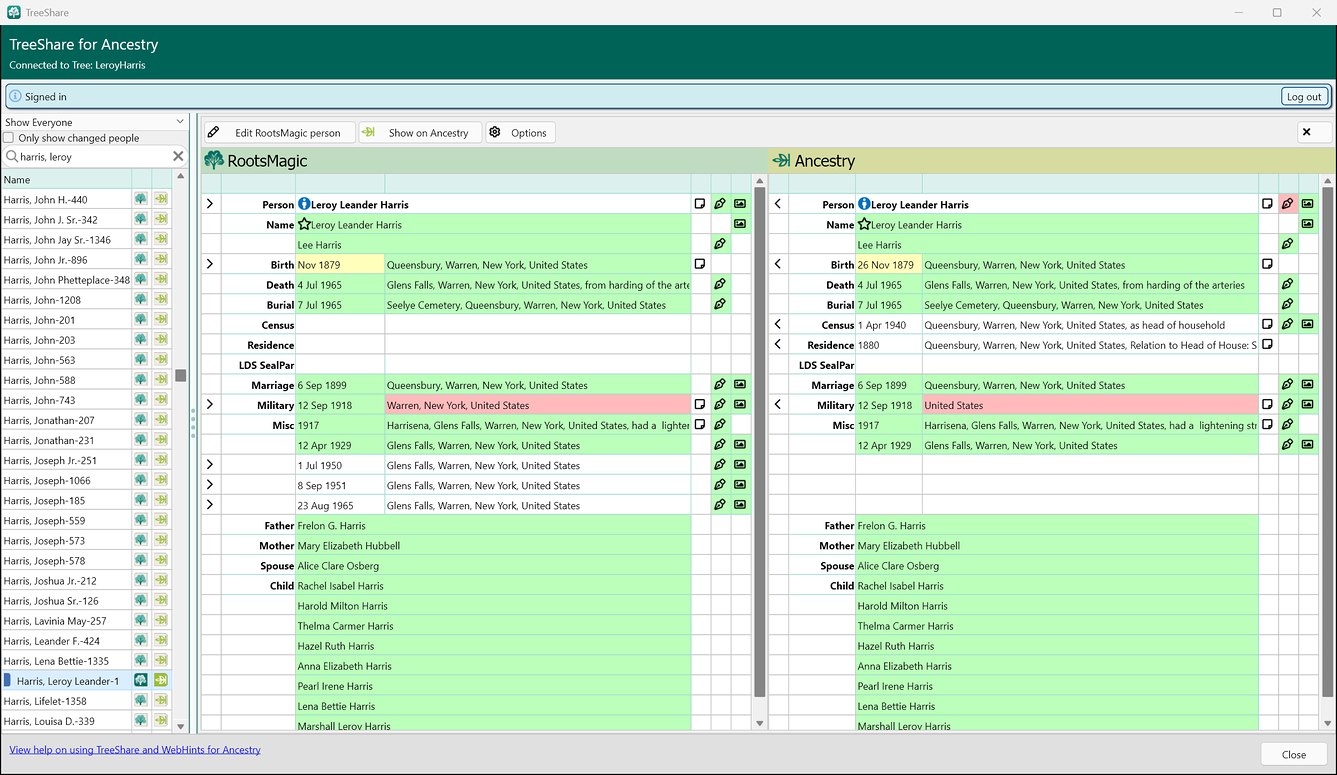
You get the best of both worlds- the power, privacy, and freedom of a personal tree on your own computer; and the communication, collaboration, and resources of online trees. RootsMagic lets you share tree data back and forth with Ancestry and FamilySearch.

Multiple Files

Create as many tree files as you like. Keep your own backups of your work on your own computer or on cloud backup services.

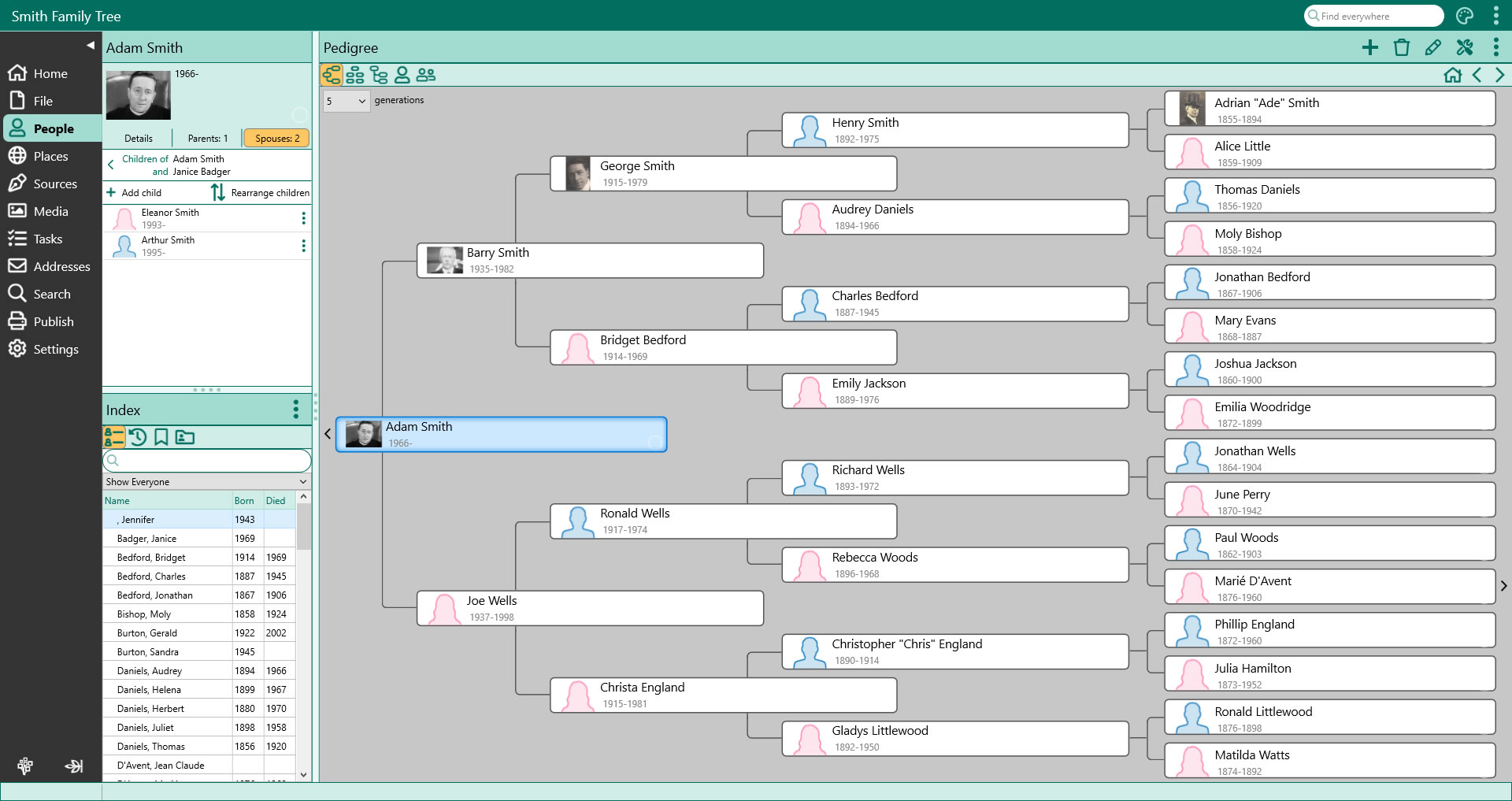
See your whole family at a glance

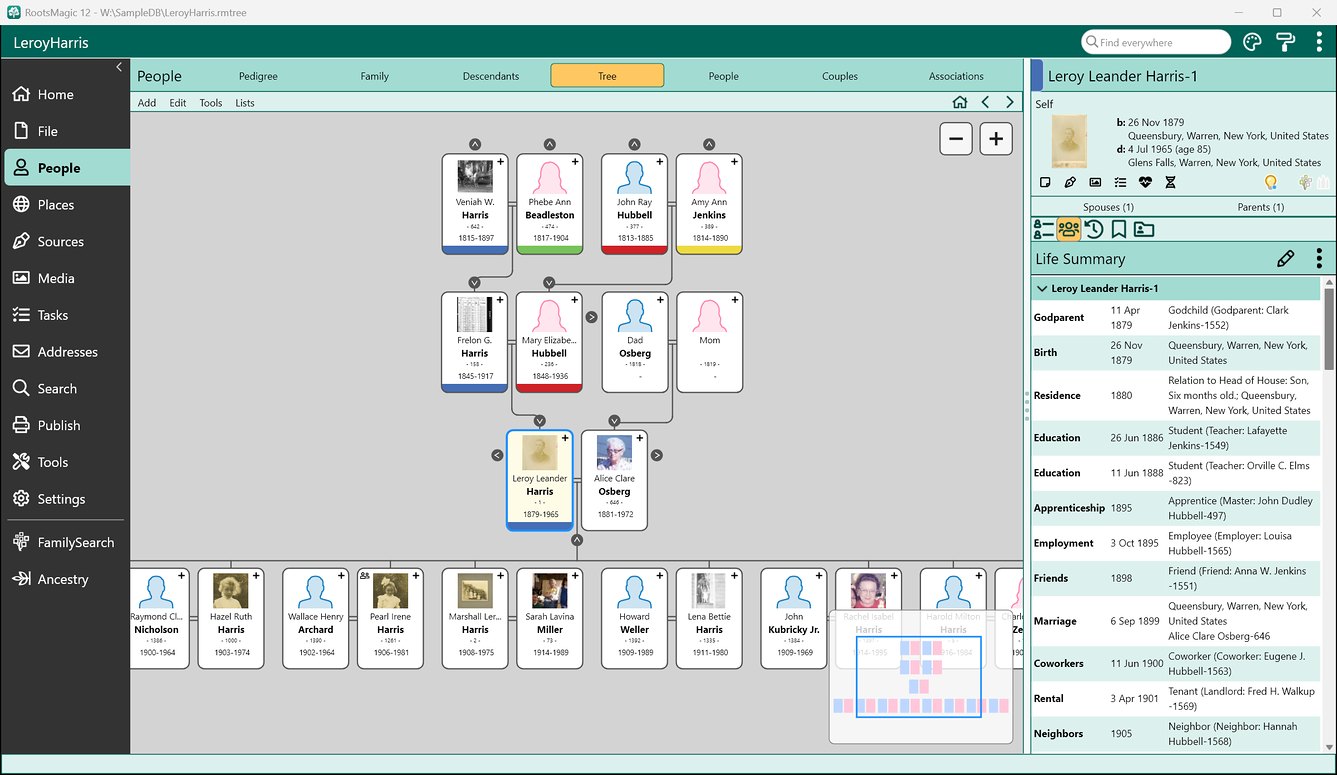
The new Tree view shows a person’s ancestors and descendants branching out from them, like the trees you navigate on Ancestry and FamilySearch. Click anyone to select them, or double-click to edit.

Your family, on this day

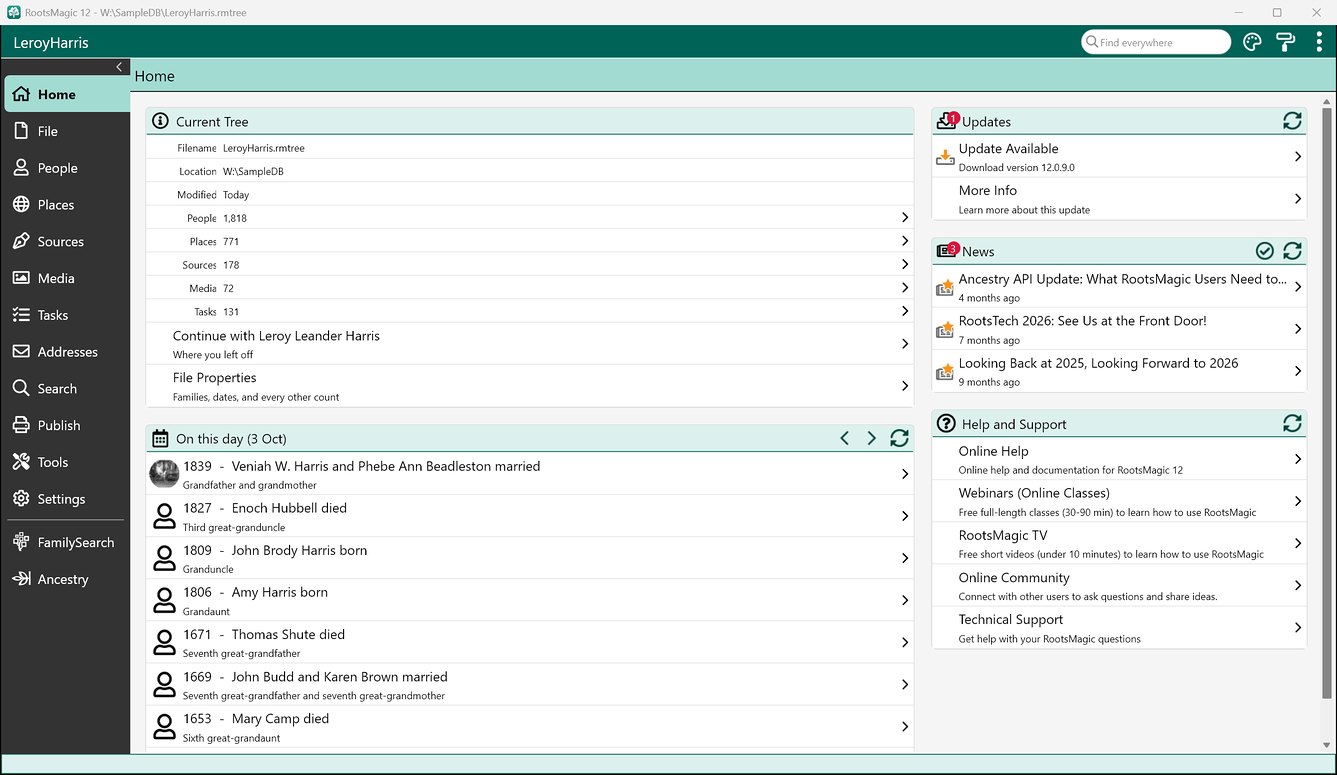
Every time you open your tree, the Home page lists the births, marriages, and deaths in your family on today’s date, with how each person is related. It also shows your tree at a glance and picks up where you left off.

Take your tree with you

RootsMagic To-Go puts RootsMagic 12 and your trees on an ordinary USB flash drive. It needs less than 200 MB: install the program, pick the trees to take, and run it on another computer.

new_tree_view
import
treeshare
on_this_day

Grow Your Family Tree

RootsMagic keeps your work organised while it helps you find new records, document sources of information, and track your tasks and work.

All At Your Fingertips

The main window lets you work with files, people, places, sources, media, tasks, addresses, and more from one place. Just click on the sidebar to switch between screens without losing your place.

Map Your Family

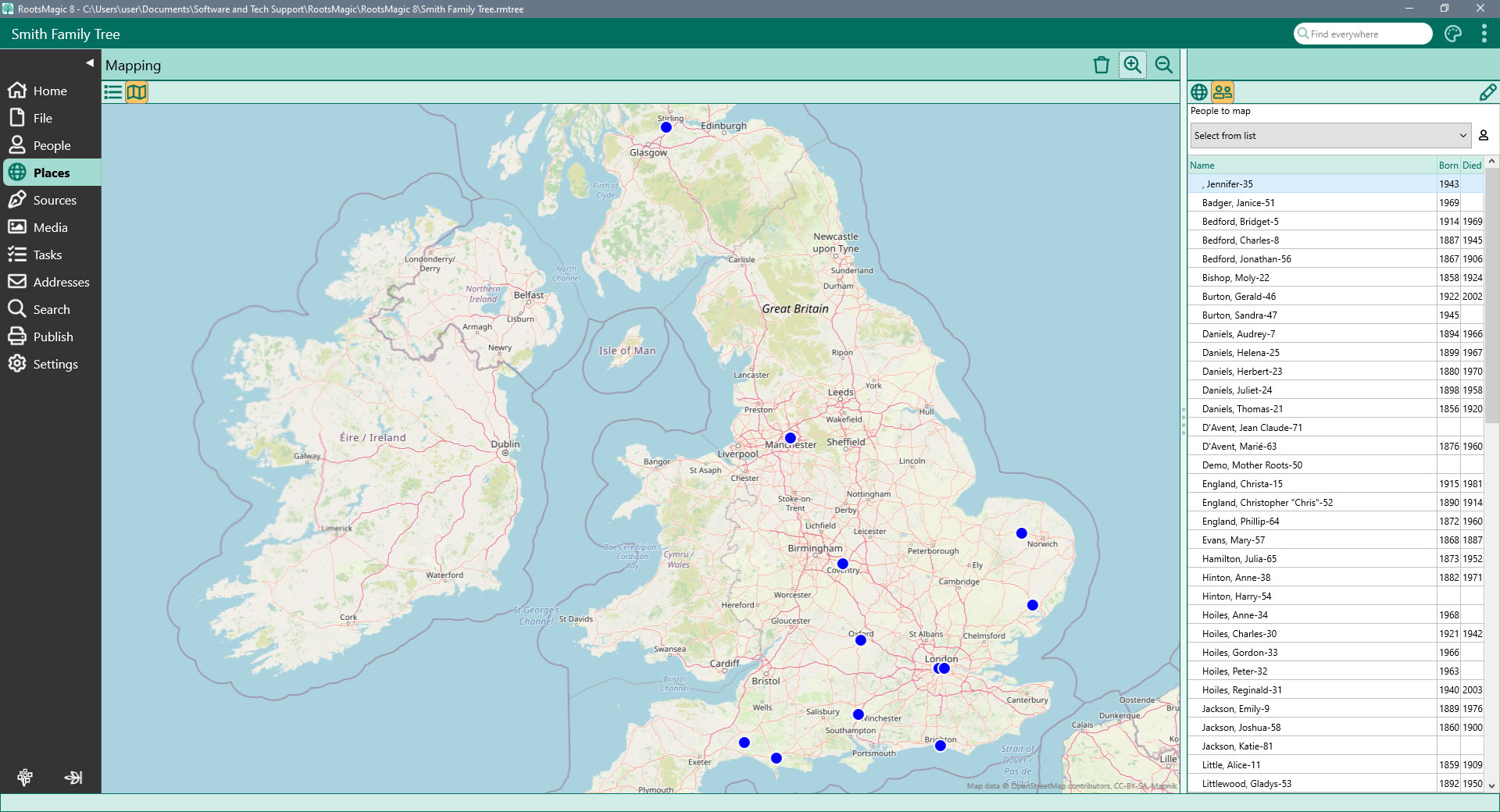
View your family on a map! Simply select a family member from the list and RootsMagic will display the map (anywhere in the world), with pins where that person's events (birth, marriage, death, burial, etc) occurred.

Add and Edit People

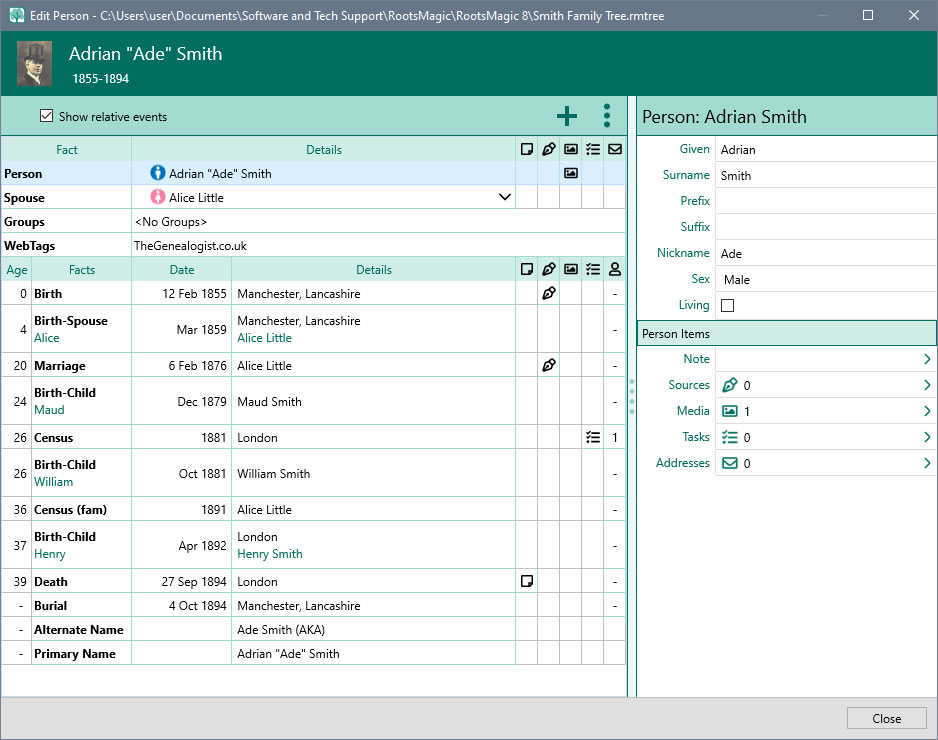
View and edit every piece of information about a person from a single edit screen. Add as many facts, notes, sources and media to each person and family. Share an event among multiple people and define each person's role in the event.

Find Anything

Search boxes help you quickly matching items in lists. Need more power? Use the Search Screen to search for a name or phrase anywhere in the file or online. Quickly search by surname or given names, genetic lines, or perform sophisticated searches easily. Even find women by their married names.

Document every fact

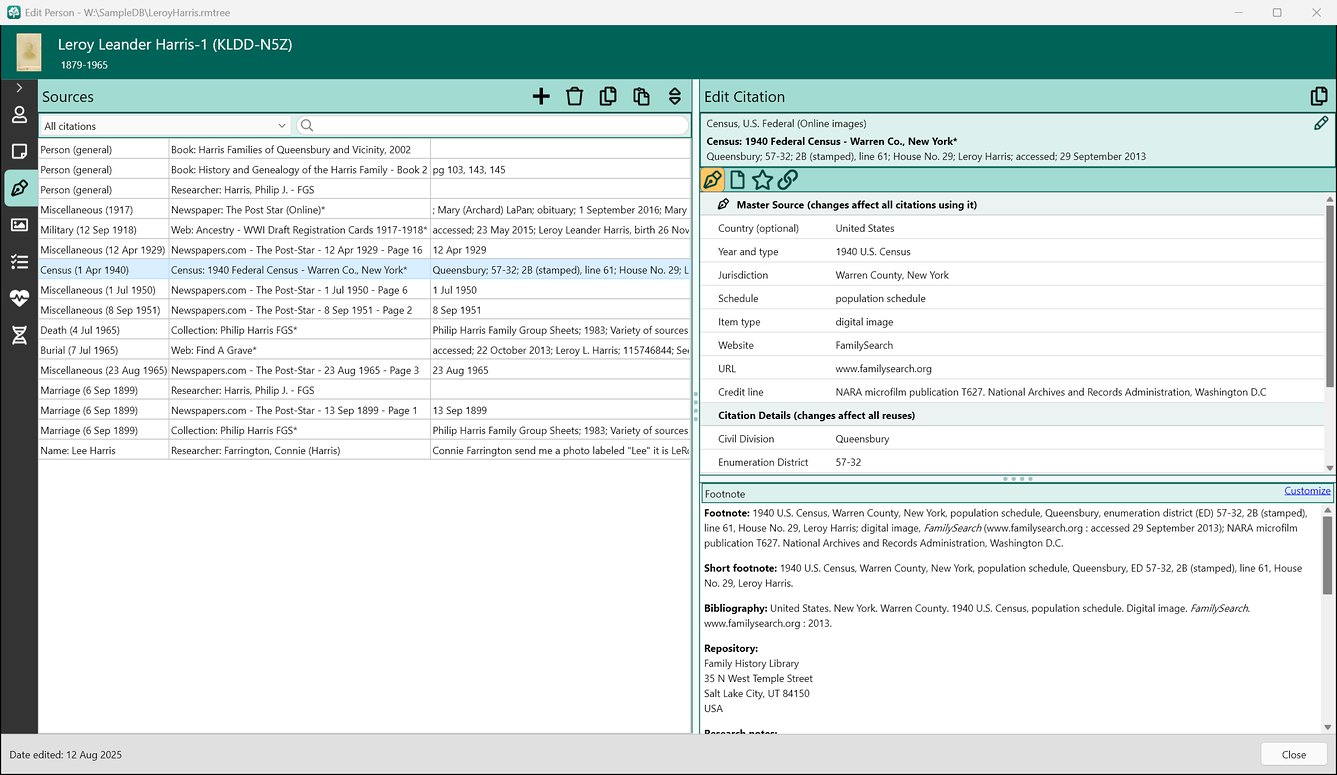
Pick a source template, fill in the blanks, and RootsMagic writes the footnote, short footnote, and bibliography for you. You can even create your own source types. The citation editor is organized into four tabs: Citation, Source Text, Quality, and Links. The source template converter changes a free-form source, and all its citations, to a template, or a templated source back to free-form.

Add a source by typing

Type a source type, a full citation, a web address, or text from a source you’ve already entered, and SourceWizard suggests a template, or a source you can reuse. Not sure which fits? “Help me choose” walks you through it, one question at a time.

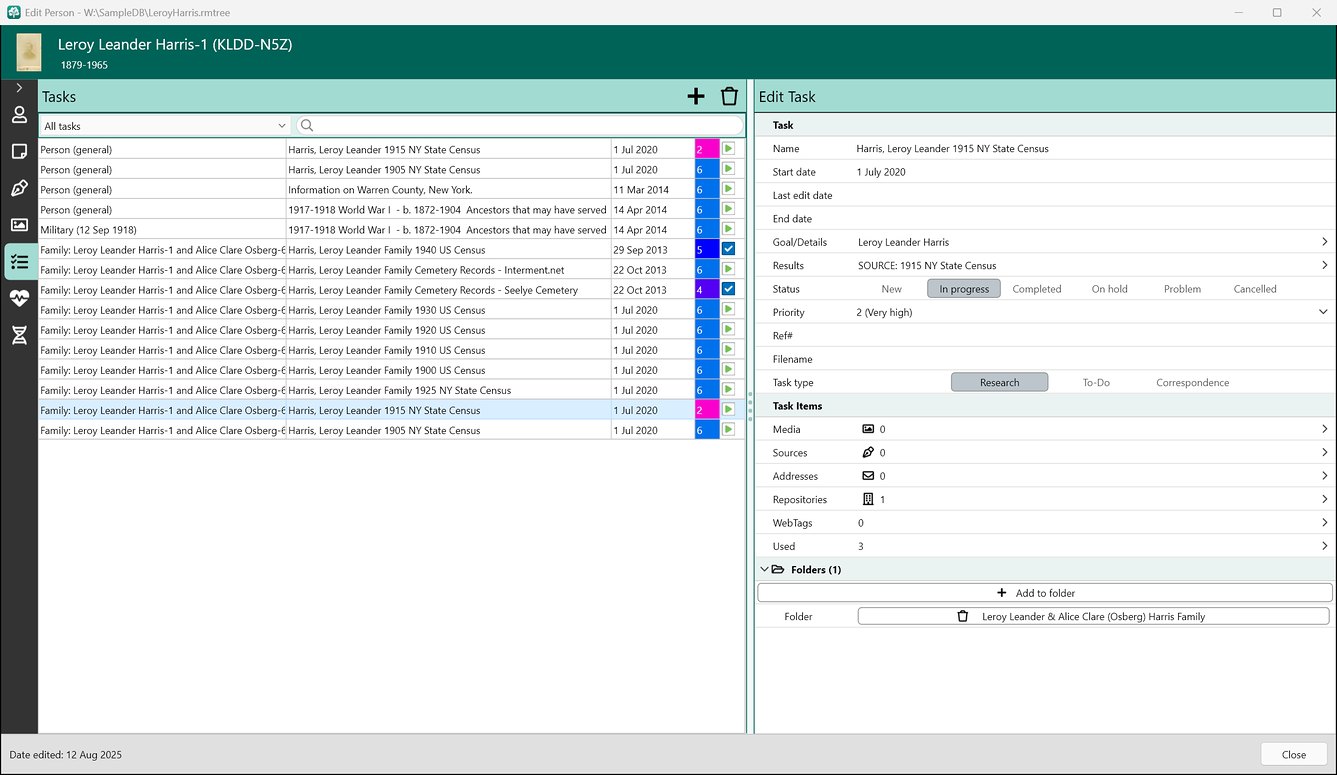
Track your research: From "To-do" to "Ta-da

Keep your work on track with RootsMagic's task management. Tasks keep your research on track: set goals and priorities, log your searches, and record what you found (and what you didn’t), for a person, a family, or a whole project.

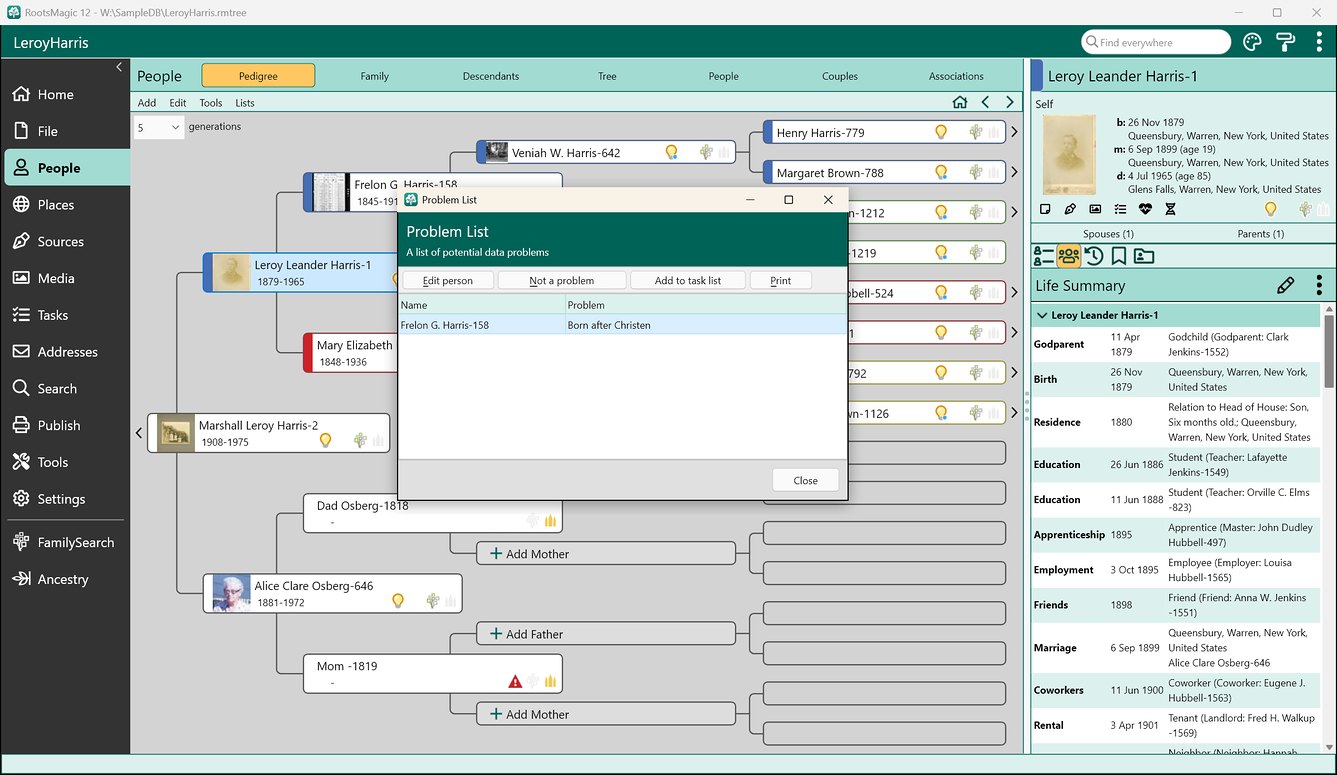
Spot Possible Problems

Was John really born when his mother was 9 years old? Problem Alerts warn you of possible errors in your data as you're looking at it.

Keep your Names and Places Clean

The powerful DataClean tool finds and corrects problems in your person and place names.

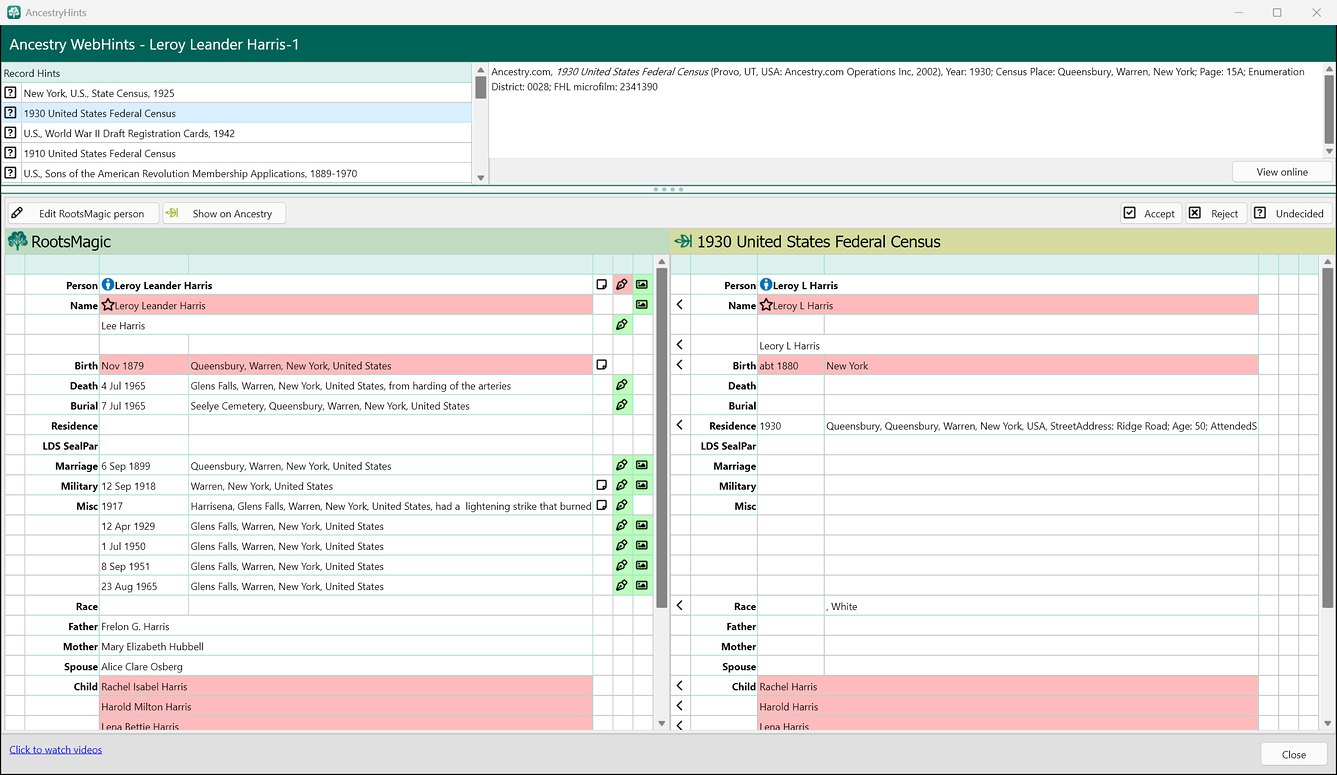
Automatically Find Online Records

WebHints automatically search for your family online. Find and view matching records from Ancestry, FamilySearch, Findmypast, and MyHeritage*.

Colours and Groups

Give Colour Codes to people to see how they fit into the overall picture. Assign people to groups to quickly find and use them at any time.

Put your DNA matches to work

Record DNA matches from any testing company, see the predicted relationships with their probabilities, and view shared matches. Cluster matches with the Leeds Method, and print detailed reports.

Family health histories

Record health conditions to see family health trends. Print a family health history with the names replaced by “Private,” ready for a doctor.

* Subscriptions may be needed to view some records from some providers.

ancestry_webhints
task_list
problem_list
main_screen
mapping
edit_person
simpler_sources

Protect your family tree

Your tree lives on your computer, where only you can change it. RootsMagic helps keep it accurate, private, and safely backed up.

Online and offline: the best of both

Keep the power, privacy, and freedom of a tree on your own computer, and still work with Ancestry and FamilySearch when you want to. You decide exactly what to share or sync, down to people, facts, and details. Share a little, share a lot, or keep it all on your computer.

Spot possible problems

Was John really born when his mother was 9 years old? Problem Alerts warn you about possible errors in your data as you look at it. Open the Problem List to fix each one, mark it “not a problem,” or add it to your task list.

Keep names and places clean

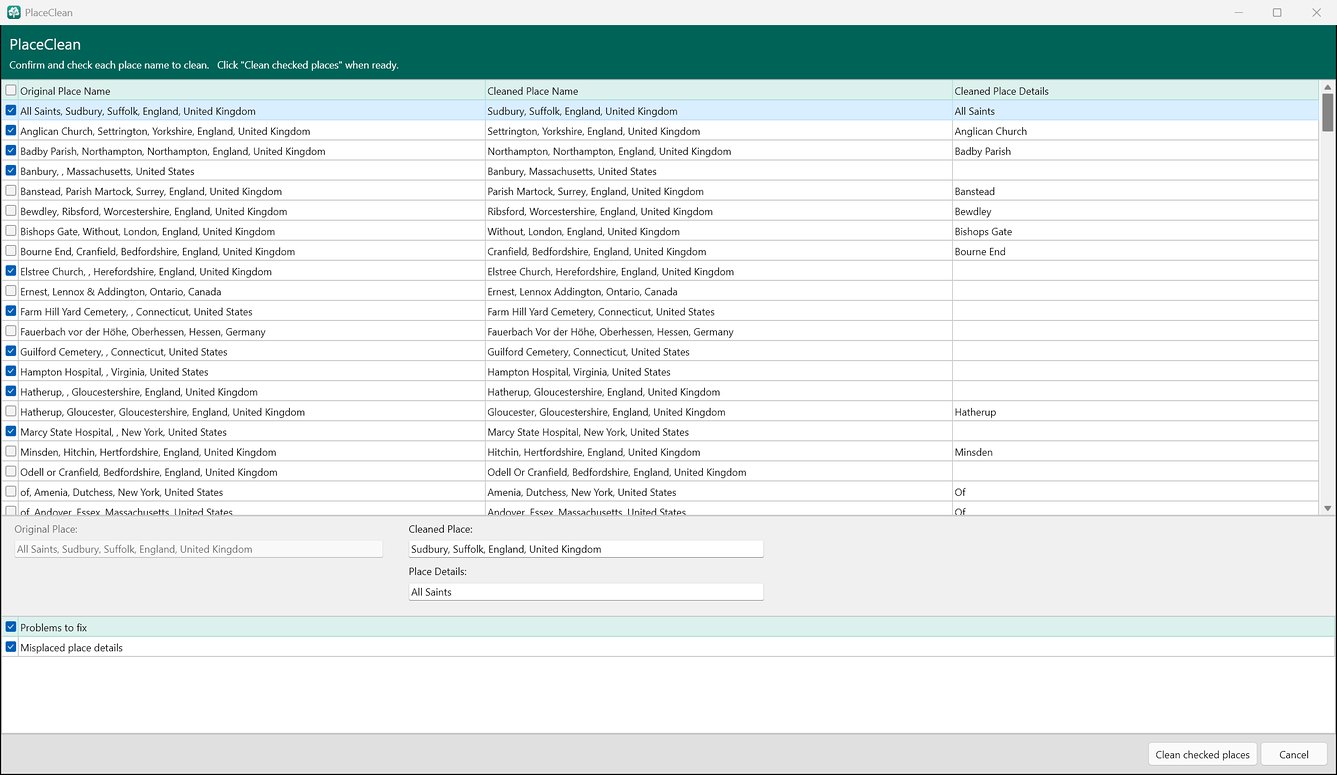
DataClean finds and fixes common problems in your names and places. PlaceClean, for example, moves a church or cemetery out of a place name and into its details, and fixes capitalization. You check each fix before anything changes.

Merge duplicates

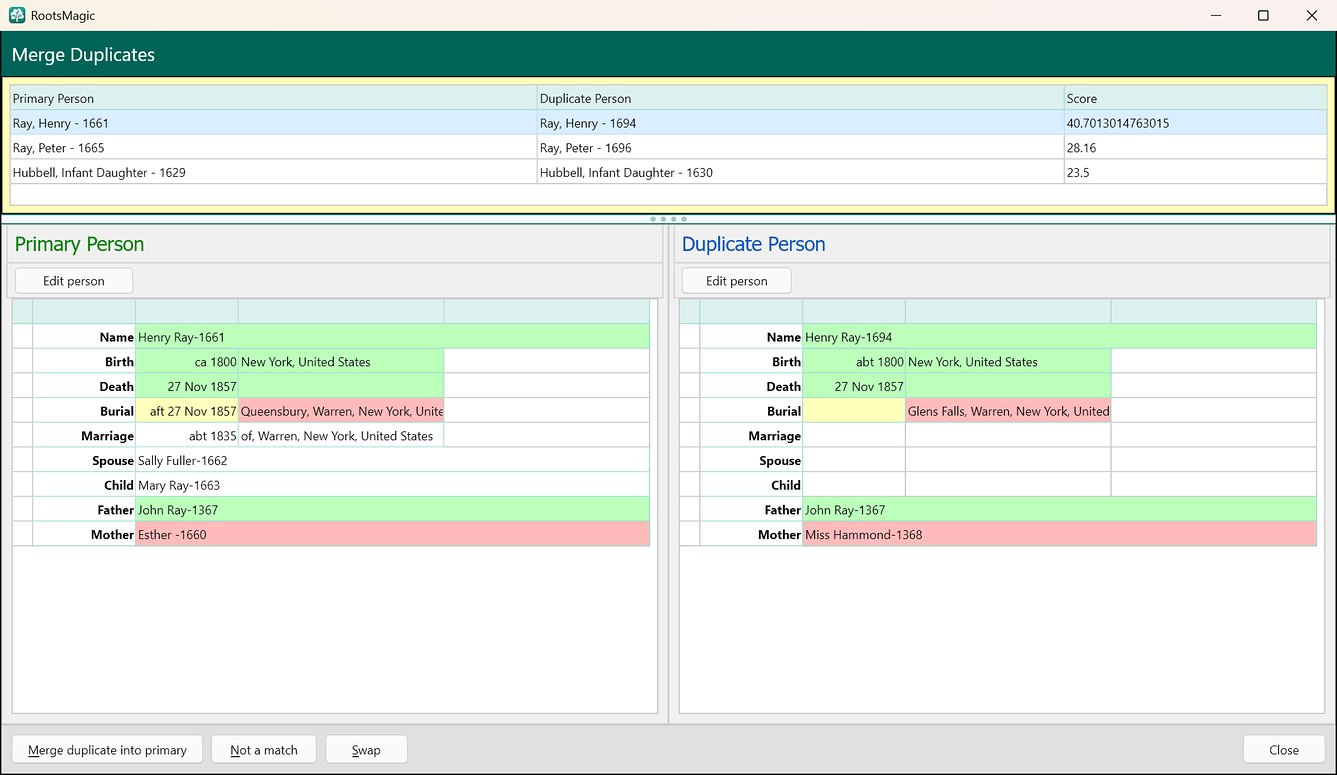
When the same person turns up twice, RootsMagic finds the likely duplicates and shows them side by side, with matching details in green and conflicts in red. Merge them, mark them “not a match,” or swap which one to keep.

Your tree belongs to you

No one else can change it or “fix” it behind your back. It’s your data, on your computer.

Backups you control

Make a compact backup, with your media files if you choose, and keep it anywhere: another drive, a flash drive, or a cloud backup service.

Private stays private

Mark any fact private, keep private remarks inside { } in a note, and leave living people out of the GEDCOM files and websites you share.

CountyCheck

CountyCheck warns when a county, state, or country didn’t exist yet on the date of an event, and suggests the right one. It covers the US, Canada, the UK, and Australia.

Problem Search

Check your whole tree at once for possible problems, keep a “not a problem” list, and add what it finds to your task list.

Work together with family

When relatives also use RootsMagic, SmartMerge combines each other’s files and keeps both versions when the data disagrees. Compare Files shows two trees side by side.

ancestry_treeshare
problem_list
place_clean
merge_duplicates

Share and Publish your family tree

RootsMagic makes it easy to publish and share your family history in a variety of ways. Print charts and reports, make a book, put your tree online, or give family a USB drive with the whole tree.

More than 100 reports and charts

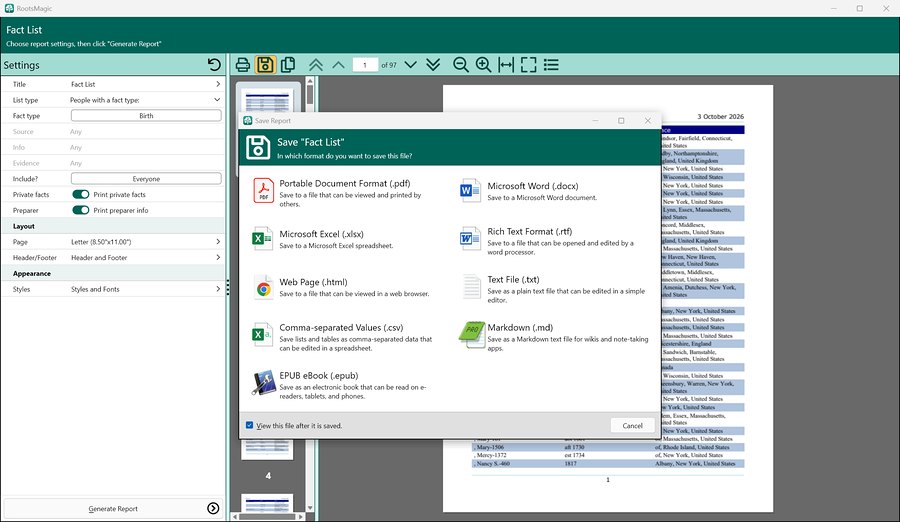
Customize and print colorful reports and lists, and with the full version, save them as PDF, Word, Excel, CSV, or text files. Reports also save as RTF, HTML web pages, EPUB e-books, and Markdown.

Beautiful Charts

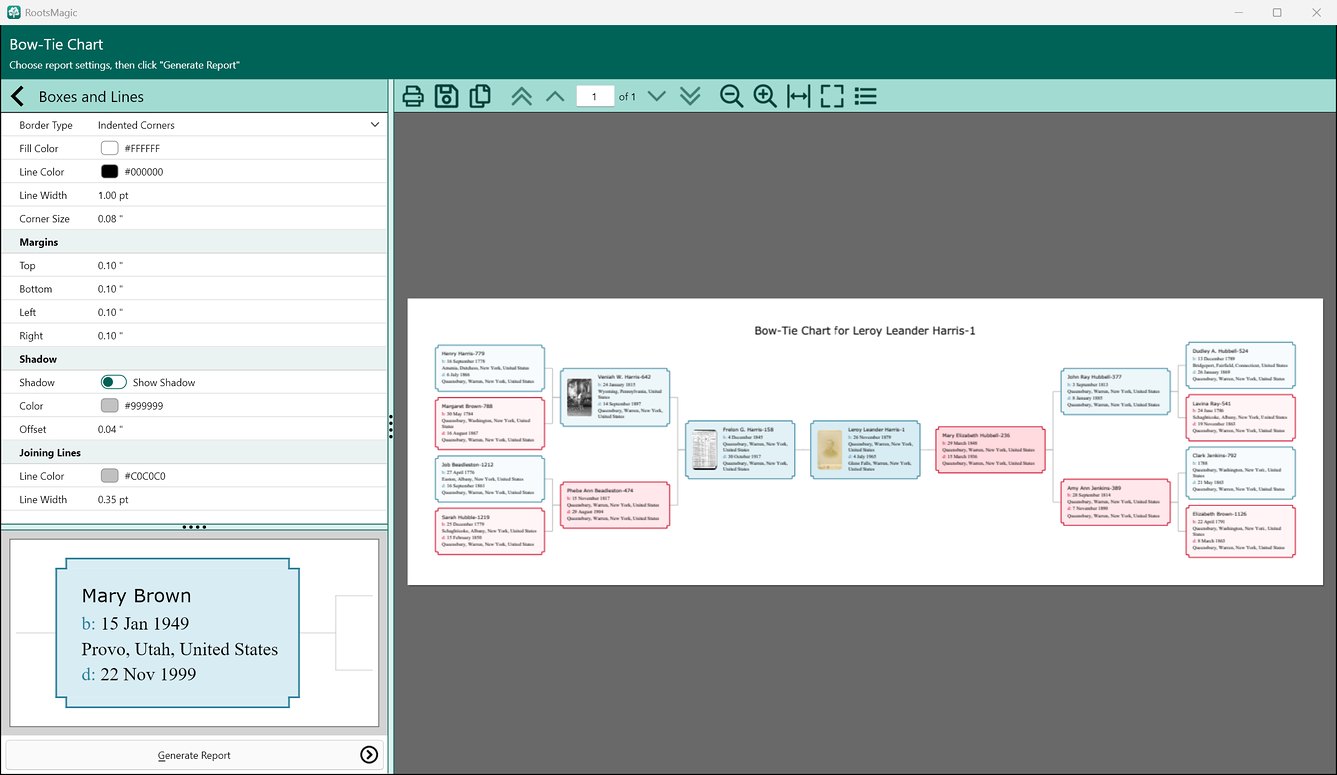
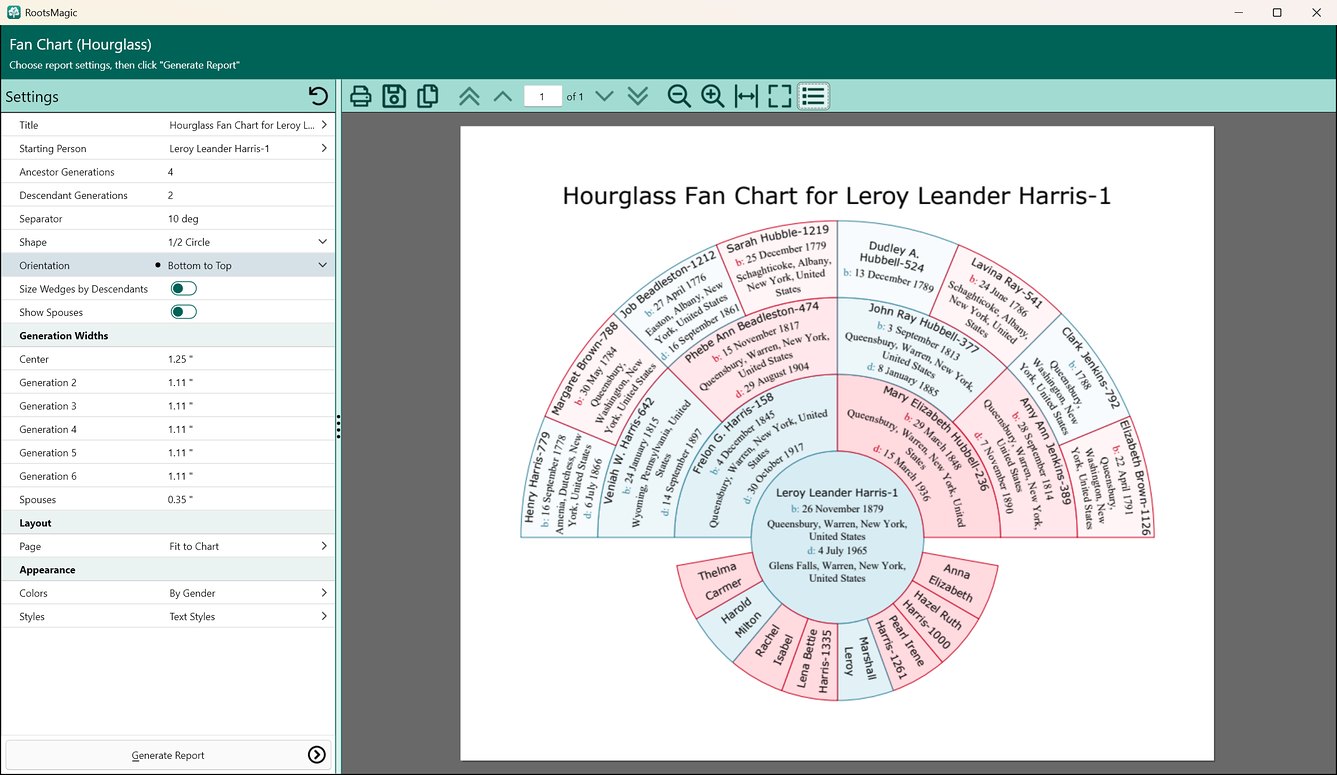
Design and print wall charts and fan charts that show the big picture, as large as you need. Add pictures and color to make your own masterpiece.

Tell their stories with AI

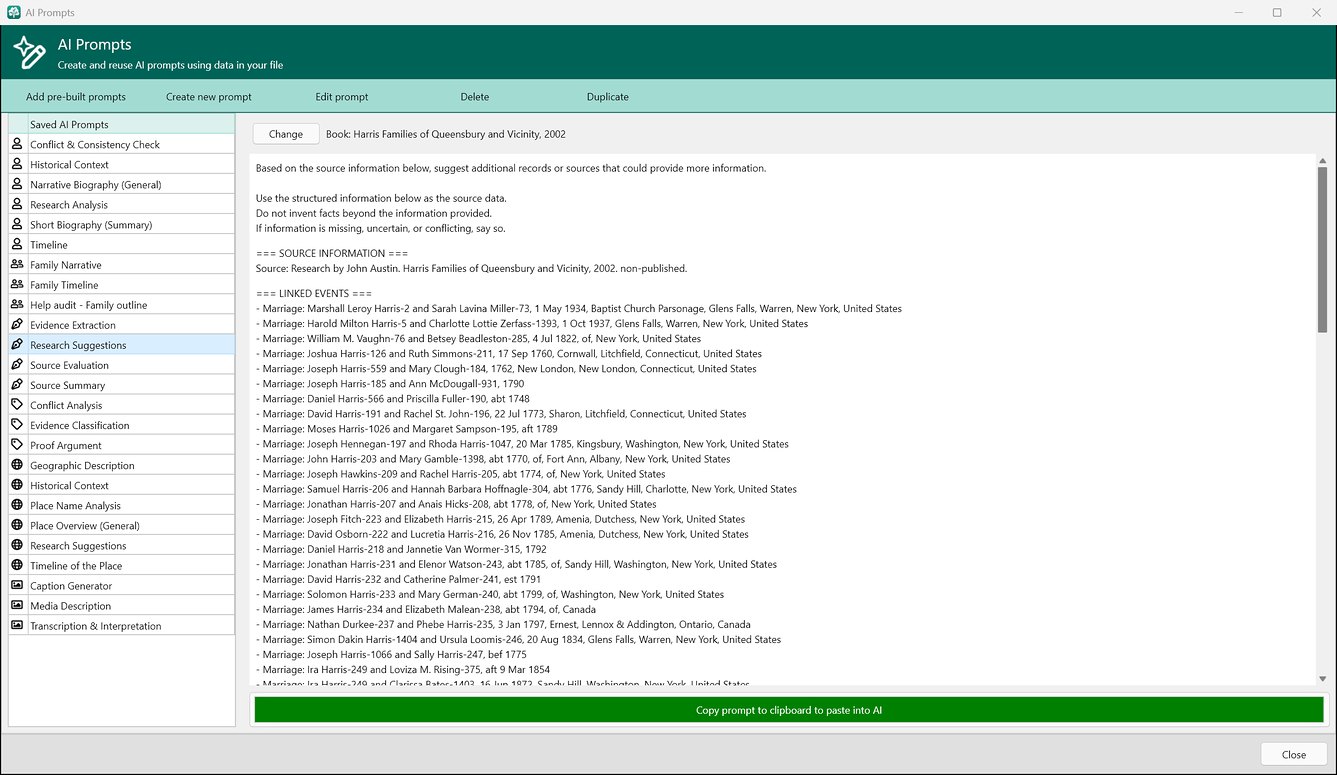
Build a prompt once and reuse it. RootsMagic fills it in with the details from your tree, ready to paste into ChatGPT or your favorite AI for a life story, a timeline, or research suggestions. Prompts now work for families, places, sources, citations, and photos, not just people, and more than 20 built-in prompts get you started.

Give family a shareable drive

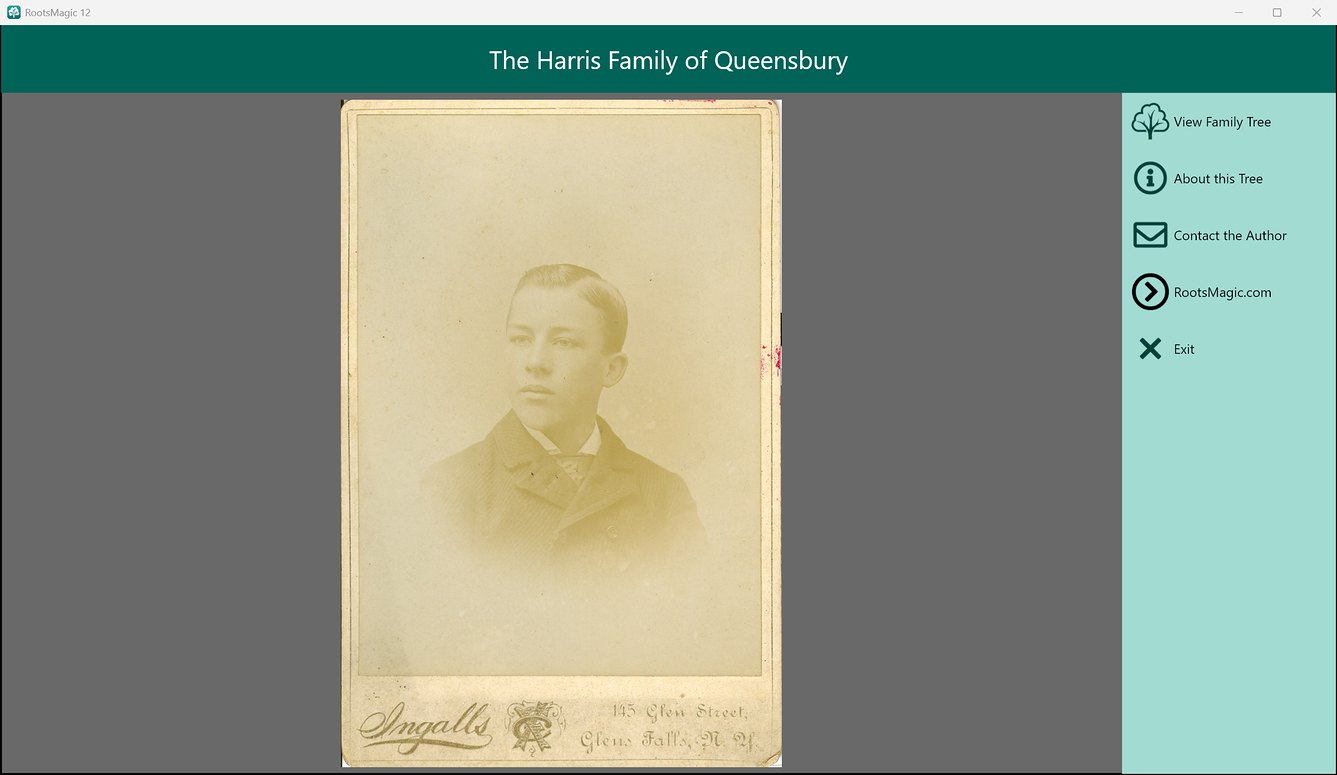
A shareable drive puts a read-only copy of RootsMagic and your tree on a USB drive you can give to family and friends, opening to your own title, photo, and introduction.

Family history books

Create full books with a table of contents, chapters, a shared index, and sources. Save a book and generate it again later to include everything you’ve added since.

Publish Online

Publish your tree, notes, sources, and photos on MyRootsMagic, a free service for RootsMagic users, with optional password protection. Or create web pages for your own site.

Exchange Files

Full GEDCOM support means you can share your family tree with others, even if they use different software.

bow-tie_chart
fan_chart
ai_prompts
save_report
shareable_drive

RootsMagic vs. Other Software

Take a look at the features of RootsMagic compared to other genealogy software:

General Features RootsMagic 12 Family Historian 8 Family Tree Maker 2024 Legacy 10
UK Version tick tick tick tick
UK Data tick tick tick tick
Run From USB stick tick tick tick tick
Family, Pedigree, Descendant, People, Tree and Couple Navigation Views tick tick tick tick
Multiple Database Drag and Drop tick tick tick tick
Missing Information List tick tick tick tick
Multi-Condition Search tick tick tick tick
Edit and Merge Charts tick tick tick tick
Publish Online with Password Protection tick tick tick tick

Why not give RootsMagic a try? Download RootsMagic Essentials for free today.

Continue Reading

Read about the exciting new features available in the latest version of RootsMagic UK, and see a more complete list of all the amazing things you can do with the software.